Getting Started
Get up and running with BidSieve in just a few minutes. Follow these steps to start finding government contract opportunities.
1
Create Your Account
Sign up with your email address. No credit card required for the free trial.
- Enter your business email
- Verify with a one-time code (no password needed)
- Complete your company profile
2
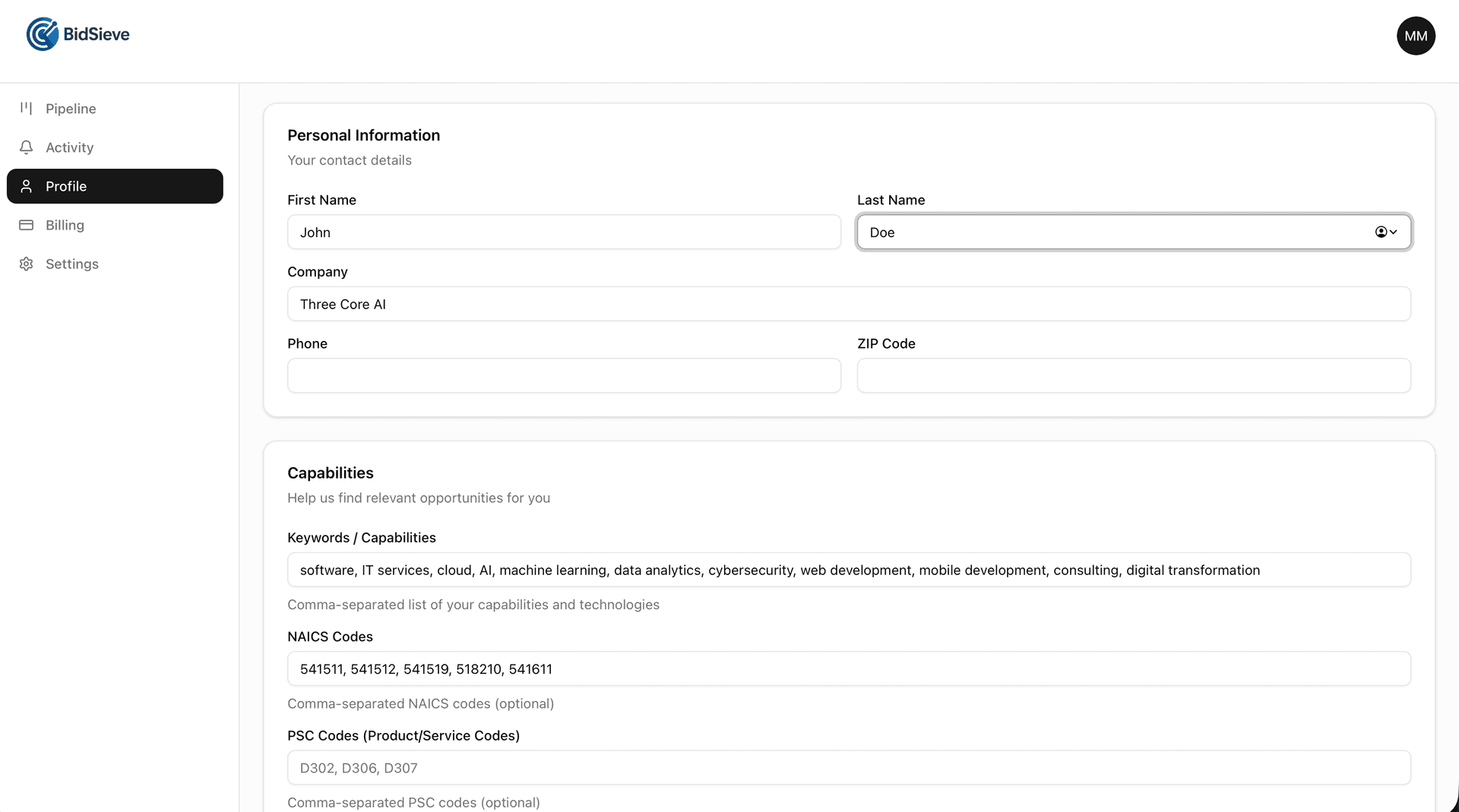
Set Up Your Profile
Tell us about your business so we can find the right opportunities.
- Add keywords that describe your services (e.g., 'software development', 'IT consulting')
- Enter your NAICS codes
- Select target agencies you want to work with
- Choose relevant set-aside types (8(a), SDVOSB, HUBZone, etc.)
3
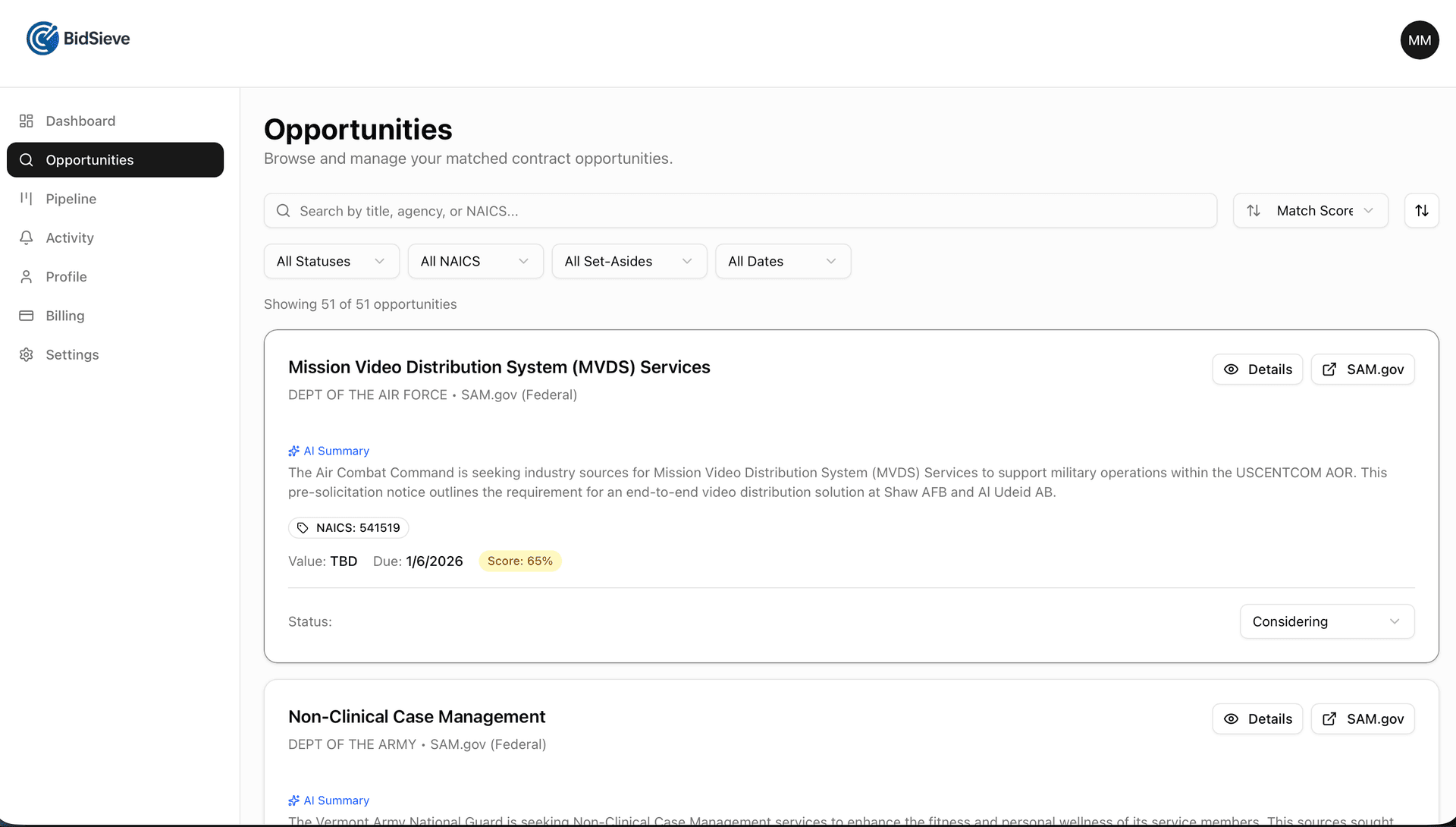
Get Matched Opportunities
BidSieve scans SAM.gov and delivers opportunities that match your profile.
- Automatic scanning every 2 hours
- AI-powered relevance scoring (0-100)
- Instant alerts for high-scoring matches
- Weekly digest emails with all new opportunities
4
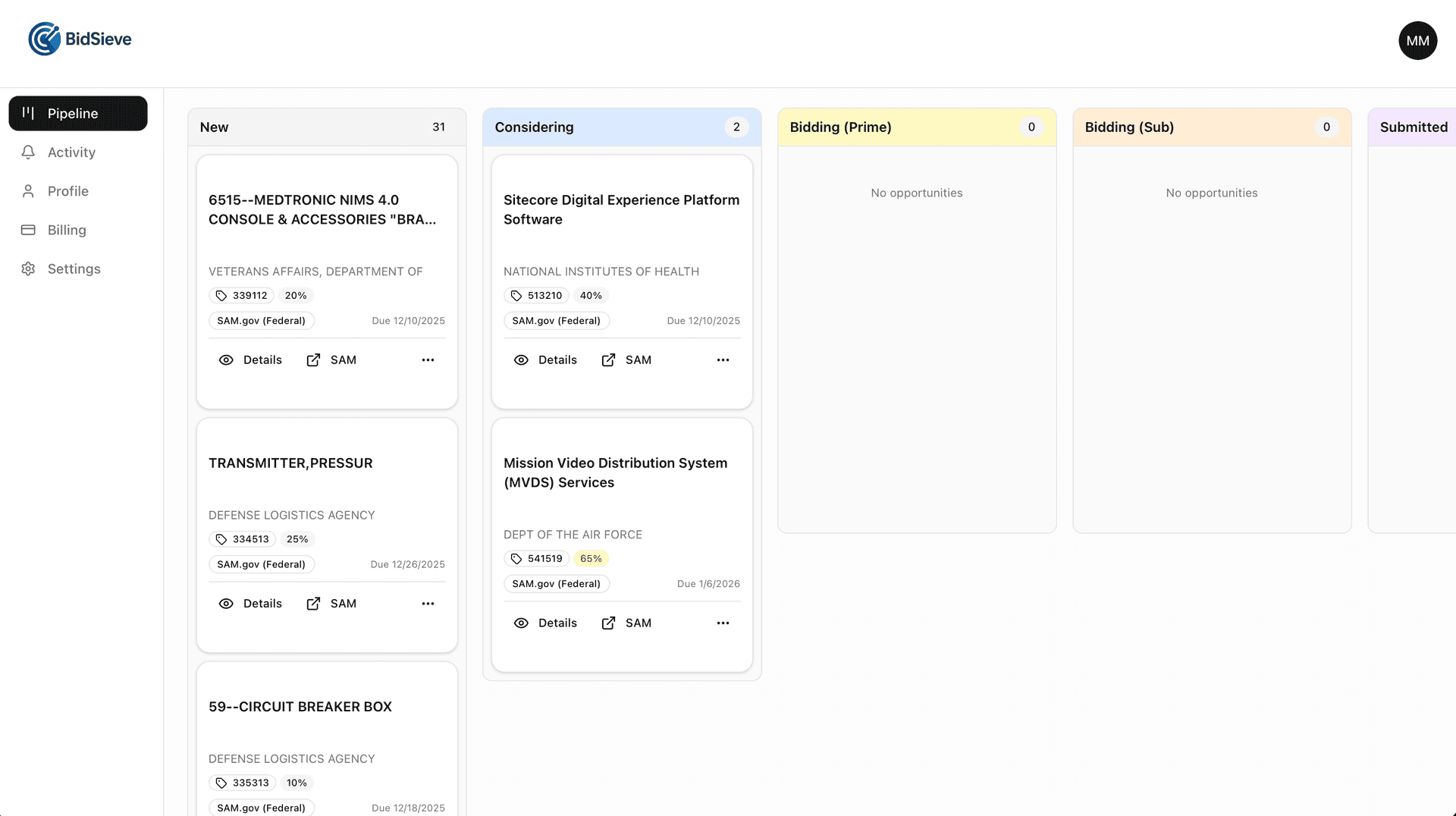
Manage Your Pipeline
Track opportunities from discovery through submission.
- Review AI-generated summaries and analysis
- Move opportunities through your pipeline stages
- Mark opportunities as 'Not Interested' to keep your list clean
- Track due dates and never miss a deadline
Pro Tips
- Be specific with keywords - Use terms that appear in actual solicitations, not just your marketing language.
- Add multiple NAICS codes - Include all codes you're registered for, even secondary ones.
- Check daily at first - Review your matches daily for the first week to fine-tune your profile.